
Train AI models with Unsloth and Hugging Face Jobs for FREE
- +94







This blog post covers how to use Unsloth and Hugging Face Jobs for fast LLM fine-tuning (specifically LiquidAI/LFM2.5-1.2B-Instruct ) through coding agents like Claude Code and Codex. Unsloth provides ~2x faster training and ~60% less VRAM usage compared to standard methods, so training small models can cost just a few dollars.
Why a small model? Small language models like LFM2.5-1.2B-Instruct are ideal candidates for fine-tuning. They are cheap to train, fast to iterate on, and increasingly competitive with much larger models on focused tasks. LFM2.5-1.2B-Instruct runs under 1GB of memory and is optimized for on-device deployment, so what you fine-tune can be served on CPUs, phones, and laptops.
You will need
We are giving away free credits to fine-tune models on Hugging Face Jobs. Join the Unsloth Jobs Explorers organization to claim your free credits and one-month Pro subscription.
- A Hugging Face account (required for HF Jobs)
- Billing setup (for verification, you can monitor your usage and manage your billing in your billing page ).
- A Hugging Face token with write permissions
- (optional) A coding agent ( Open Code , Claude Code , or Codex )
Run the Job
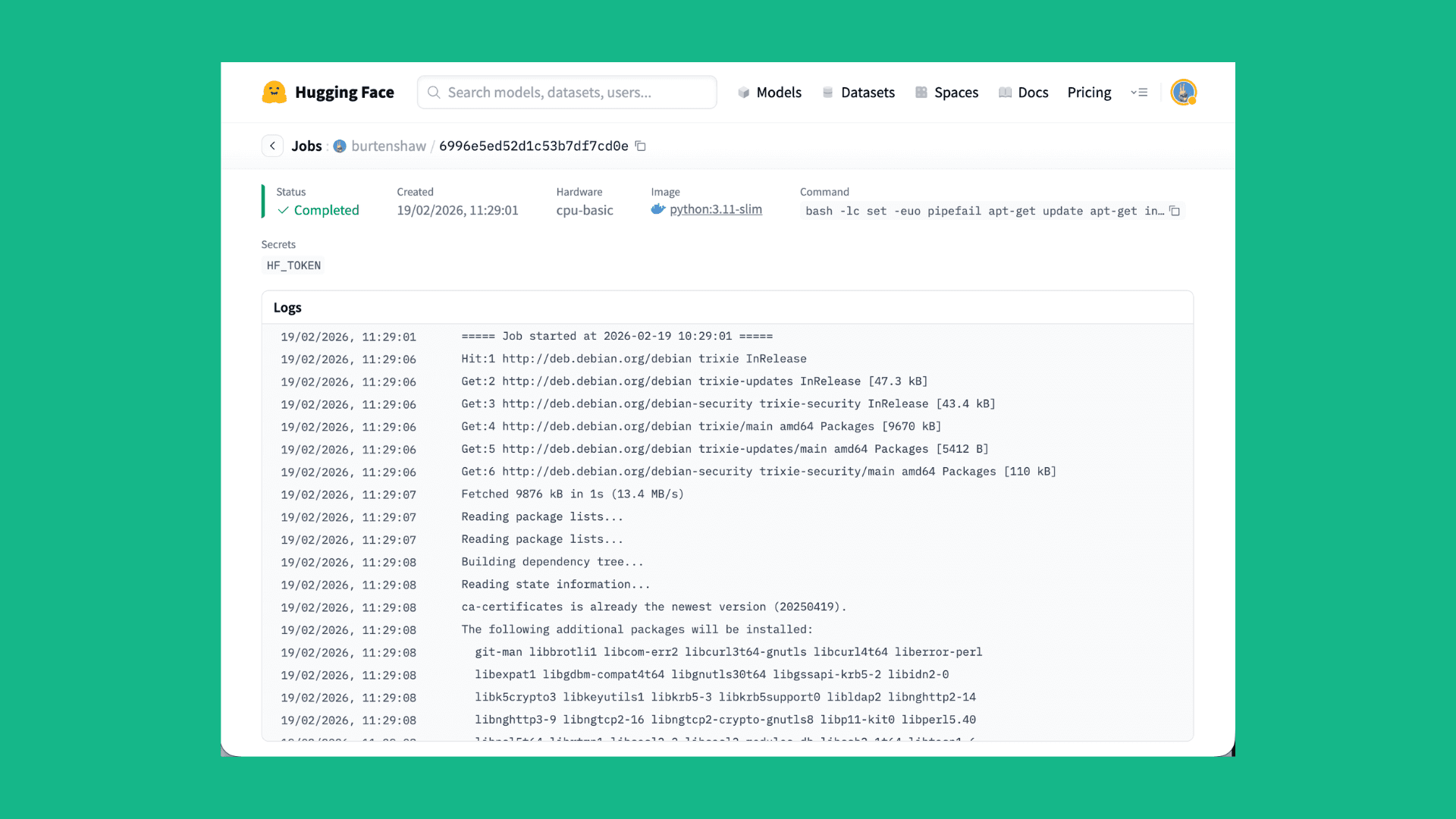
If you want to train a model using HF Jobs and Unsloth, you can simply use the hf jobs CLI to submit a job.
First, you need to install the hf CLI. You can do this by running the following command:
# mac or linux
curl -LsSf https://hf.co/cli/install.sh | bash
Next you can run the following command to submit a job:
hf jobs uv run https://huggingface.co/datasets/unsloth/jobs/resolve/main/sft-lfm2.5.py \
    --flavor a10g-small  \
    --secrets HF_TOKEN  \
    --timeout 4h \
    --dataset mlabonne/FineTome-100k \
    --num-epochs 1 \
    --eval-split 0.2 \
    --output-repo your-username/lfm-finetuned
Check out the training script and Hugging Face Jobs documentation for more details.
Installing the Skill
Hugging Face model training skill lowers barrier of entry to train a model by simply prompting. First, install the skill with your coding agent.
Claude Code
Claude Code discovers skills through its plugin system , so we need to install the Hugging Face skills first. To do so:
- Add the marketplace:
/plugin marketplace add huggingface/skills- Browse available skills in the Discover tab:
/plugin- Install the model trainer skill:
/plugin install hugging-face-model-trainer@huggingface-skillsFor more details, see the documentation on using the hub with skills or the Claude Code Skills docs .
Codex
Codex discovers skills through AGENTS.md files and .agents/skills/ directories.
Install individual skills with $skill-installer :
$skill-installer install https://github.com/huggingface/skills/tree/main/skills/hugging-face-model-trainerFor more details, see the Codex Skills docs and the AGENTS.md guide .
Anything else
A generic install method is simply to clone the skills repository and copy the skill to your agent's skills directory.
git clone https://github.com/huggingface/skills.git
mkdir -p ~/.agents/skills && cp -R skills/skills/hugging-face-model-trainer ~/.agents/skills/
Quick Start
Once the skill is installed, ask your coding agent to train a model:
Train LiquidAI/LFM2.5-1.2B-Instruct on mlabonne/FineTome-100k using Unsloth on HF JobsThe agent will generate a training script based on an example in the skill , submit the training to HF Jobs, and provide a monitoring link via Trackio.
How It Works
Training jobs run on Hugging Face Jobs , fully managed cloud GPUs. The agent:
- Generates a UV script with inline dependencies
- Submits it to HF Jobs via the hf CLI
- Reports the job ID and monitoring URL
- Pushes the trained model to your Hugging Face Hub repository
Example Training Script
The skill generates scripts like this based on the example in the skill .
# /// script
# dependencies = ["unsloth", "trl>=0.12.0", "datasets", "trackio"]
# ///

from unsloth import FastLanguageModel
from trl import SFTTrainer, SFTConfig
from datasets import load_dataset

model, tokenizer = FastLanguageModel.from_pretrained(
    "LiquidAI/LFM2.5-1.2B-Instruct",
    load_in_4bit=True,
    max_seq_length=2048,
)

model = FastLanguageModel.get_peft_model(
    model,
    r=16,
    lora_alpha=32,
    lora_dropout=0,
    target_modules=[
        "q_proj",
        "k_proj",
        "v_proj",
        "out_proj",
        "in_proj",
        "w1",
        "w2",
        "w3",
    ],
)

dataset = load_dataset("trl-lib/Capybara", split="train")

trainer = SFTTrainer(
    model=model,
    tokenizer=tokenizer,
    train_dataset=dataset,
    args=SFTConfig(
        output_dir="./output",
        push_to_hub=True,
        hub_model_id="username/my-model",
        per_device_train_batch_size=4,
        gradient_accumulation_steps=4,
        num_train_epochs=1,
        learning_rate=2e-4,
        report_to="trackio",
    ),
)

trainer.train()
trainer.push_to_hub()
For a full overview of Hugging Face Spaces pricing, check out the guide here .
Tips for Working with Coding Agents
- Be specific about the model and dataset to use, and include Hub IDs (for example, Qwen/Qwen2.5-0.5B and trl-lib/Capybara ). Agents will search for and validate those combinations.
- Mention Unsloth explicitly if you want it used. Otherwise, the agent will choose a framework based on the model and budget.
- Ask for cost estimates before launching large jobs.
- Request Trackio monitoring for real-time loss curves.
- Check job status by asking the agent to inspect logs after submission.
Resources
- Hugging Face Skills Repository
- Free credits for Unsloth Jobs Explorers
- Unsloth Tutorial on Hugging Face Jobs
- Example Unsloth Jobs scripts
Models mentioned in this article 1
Datasets mentioned in this article 1
More Articles from our Blog
Codex is Open Sourcing AI models
We Got Claude to Fine-Tune an Open Source LLM
Community
postingonediting

Fake advertising unfortunately.
· Sign up or log in to comment
- +88