Post-Training Isaac GR00T N1.5 for LeRobot SO-101 Arm
- +126



Introduction

NVIDIA Isaac GR00T (Generalist Robot 00 Technology) is a research and development platform for building robot foundation models and data pipelines, designed to accelerate the creation of intelligent, adaptable robots.
Today, we announced the availability of Isaac GR00T N1.5 , the first major update to Isaac GR00T N1, the world’s first open foundation model for generalized humanoid robot reasoning and skills. This cross-embodiment model processes multimodal inputs, including language and images, to perform manipulation tasks across diverse environments. It is adaptable through post-training for specific embodiments, tasks, and environments.
In this blog, we’ll demonstrate how to post-train (fine-tune) GR00T N1.5 using teleoperation data from a single SO-101 robot arm.
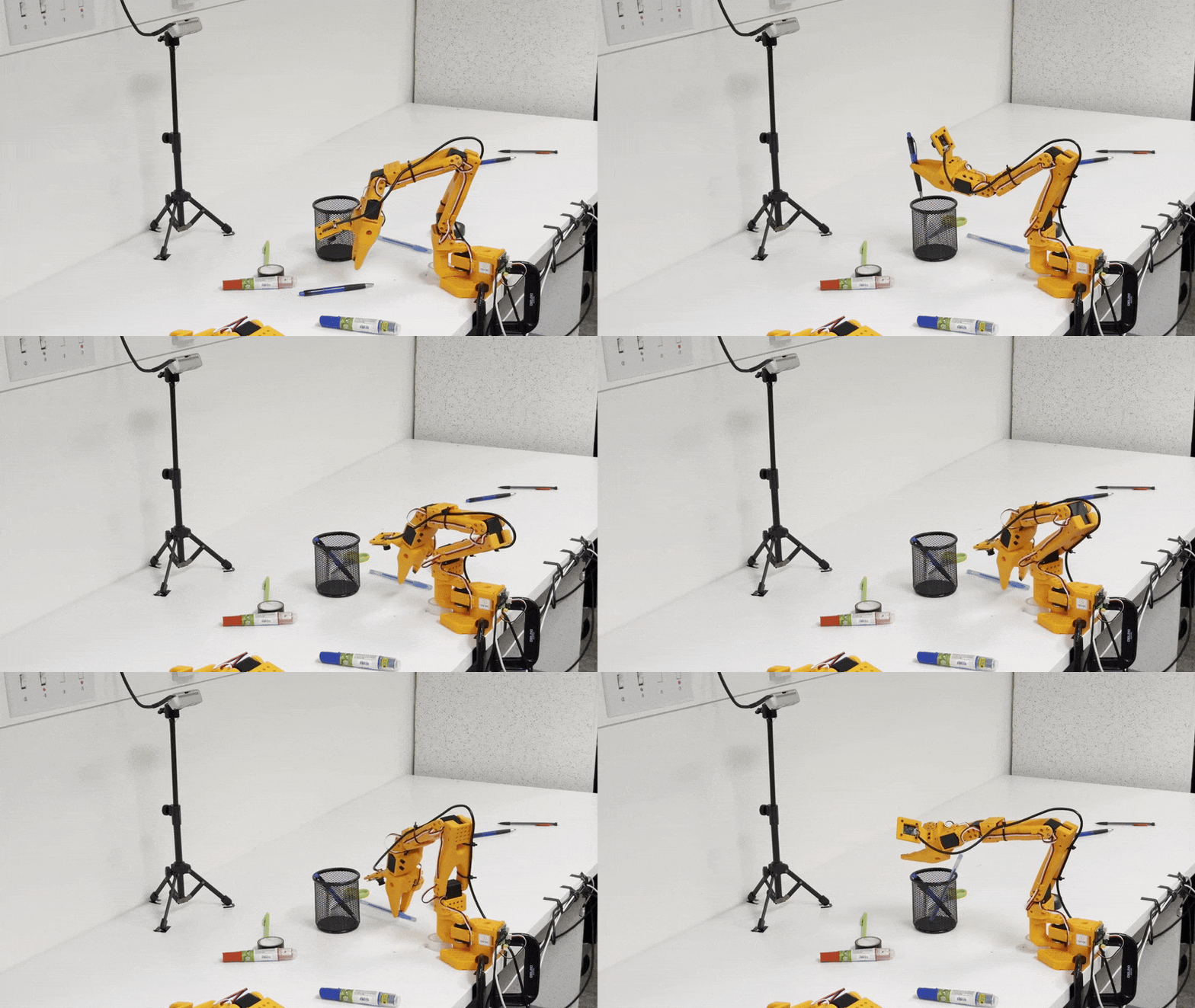
Technical Blog for GR00T N1.5: https://research.nvidia.com/labs/gear/gr00t-n1_5/
Step-by-step tutorial
Now accessible to developers working with a wide range of robot form factors, GR00T N1.5 can be easily fine-tuned and adapted using the affordable, open-source LeRobot SO-101 arm.
This flexibility is enabled by the EmbodimentTag system, which allows seamless customization of the model for different robotic platforms, empowering hobbyists, researchers, and engineers to tailor advanced humanoid reasoning and manipulation capabilities to their own hardware.
Step 0: Installation
Before proceeding to installation, please check if you satisfy the prerequisites .
0.1 Clone the Isaac-GR00T Repo
git clone https://github.com/NVIDIA/Isaac-GR00T
cd Isaac-GR00T
0.2 Create the environment
conda create -n gr00t python=3.10
conda activate gr00t
pip install --upgrade setuptools
pip install -e .[base]
pip install --no-build-isolation flash-attn==2.7.1.post4
Step 1: Dataset Preparation
Users can fine-tune GROOT N1.5 with any LeRobot dataset. For this tutorial, we will be using the table cleanup task as an example for fine-tuning.
It's important to note that datasets for the SO-100 or SO-101 are not in GR00T N1.5's initial pre-training. As a result of this, we will be training it as a new_embodiment .
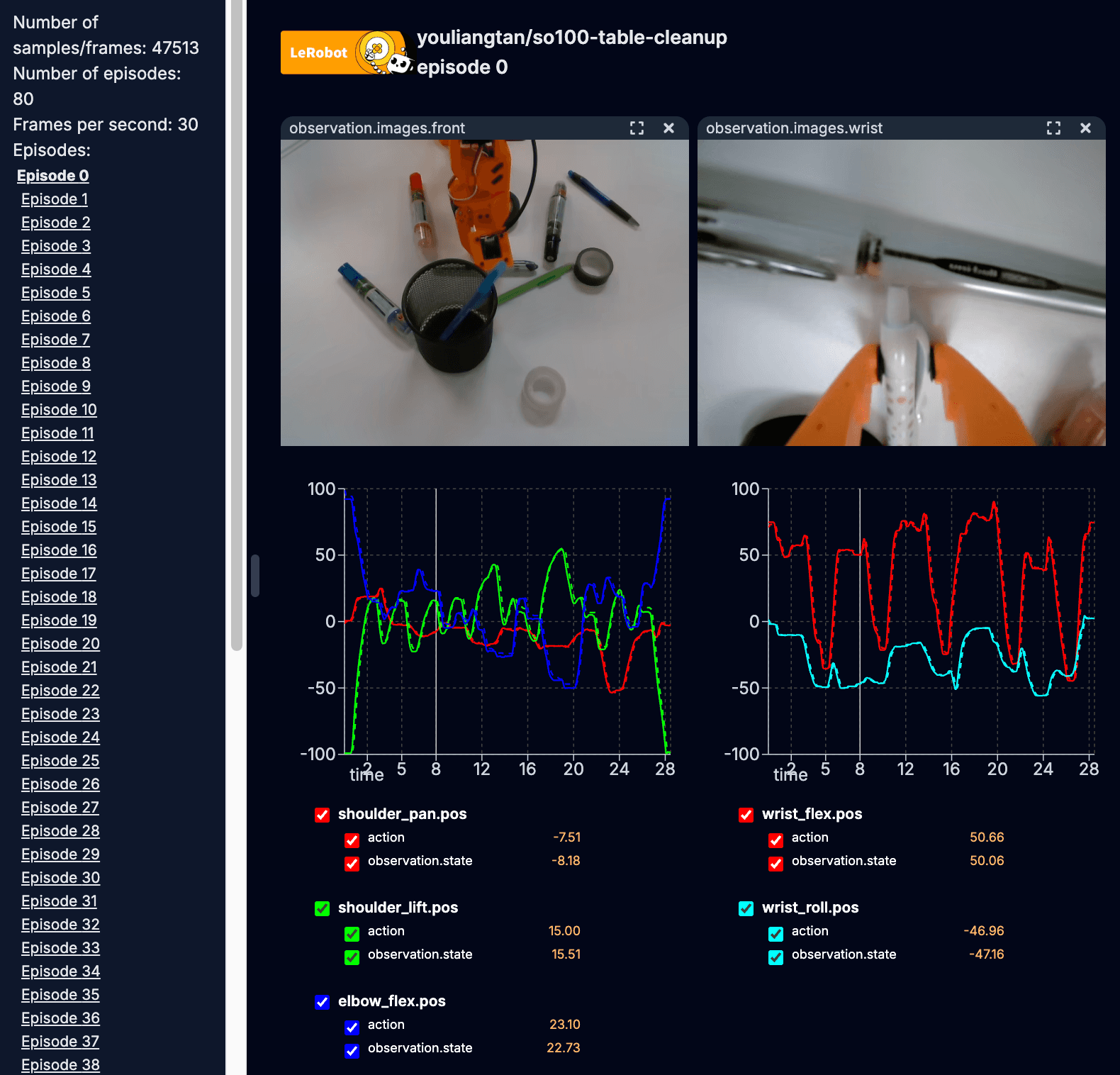
1.1 Create or Download Your Dataset
For this tutorial, you can either begin by creating your own custom dataset by following these instructions (recommended) or by downloading the so101-table-cleanup dataset from Hugging Face. The --local-dir argument specifies where the dataset will be saved on your machine.
huggingface-cli download \
    --repo-type dataset youliangtan/so101-table-cleanup \
    --local-dir ./demo_data/so101-table-cleanup
1.2 Configure Modality File
The modality.json file provides additional information about the state and action modalities to make it "GR00T-compatible". Copy over the getting_started/examples/so100_dualcam__modality.json to the dataset <DATASET_PATH>/meta/modality.json using this command:
cp getting_started/examples/so100_dualcam__modality.json ./demo_data/so101-table-cleanup/meta/modality.jsonNOTE: For a single-camera setup like so100_strawberry_grape , run:
cp getting_started/examples/so100__modality.json ./demo_data/<DATASET_PATH>/meta/modality.jsonAfter these steps, the dataset can be loaded using the GR00T LeRobotSingleDataset class. An example script for loading the dataset is shown here:
python scripts/load_dataset.py --dataset-path ./demo_data/so101-table-cleanup --plot-state-action --video-backend torchvision_avStep 2: Fine-tuning the Model
Fine-tuning GR00T N1.5 can be executed using the Python script, scripts/gr00t_finetune.py . To begin finetuning, execute the following command from your terminal:
python scripts/gr00t_finetune.py \
   --dataset-path ./demo_data/so101-table-cleanup/ \
   --num-gpus 1 \
   --output-dir ./so101-checkpoints  \
   --max-steps 10000 \
   --data-config so100_dualcam \
   --video-backend torchvision_av
Tip: The default fine-tuning settings require ~25G of VRAM. If you don't have that much VRAM, try adding the --no-tune_diffusion_model flag to the gr00t_finetune.py script.
Step 3: Open-loop Evaluation
Once the training is complete and your fine-tuned policy is generated, you can visualize its performance in an open-loop setting by running the following command:
python scripts/eval_policy.py --plot \
   --embodiment_tag new_embodiment \
   --model_path ./so101-checkpoints \
   --data_config so100_dualcam \
   --dataset_path ./demo_data/so101-table-cleanup/ \
   --video_backend torchvision_av \
   --modality_keys single_arm gripper
Congratulations! You have successfully finetuned GR00T-N1.5 on a new embodiment.
Step 4: Deployment
After successfully fine-tuning and evaluating your policy, the final step is to deploy it onto your physical robot for real-world execution.
To connect your SO-101 robot and begin the evaluation, execute the following commands in your terminal:
- First Run the Policy as a server:
python scripts/inference_service.py --server \
    --model_path ./so101-checkpoints \
    --embodiment-tag new_embodiment \
    --data-config so100_dualcam \
--denoising-steps 4- On a separate terminal, run the eval script as client. Make sure to update the port and id for the robot, as well as the index and parameters for cameras, to match your configuration.
python getting_started/examples/eval_lerobot.py \
    --robot.type=so100_follower \
    --robot.port=/dev/ttyACM0 \
    --robot.id=my_awesome_follower_arm \
    --robot.cameras="{ wrist: {type: opencv, index_or_path: 9, width: 640, height: 480, fps: 30}, front: {type: opencv, index_or_path: 15, width: 640, height: 480, fps: 30}}" \
    --policy_host=10.112.209.136 \
    --lang_instruction="Grab pens and place into pen holder."
Since we finetuned GRO0T-N1.5 with different language instructions, the user can steer the policy by using one of the task prompts in the dataset such as:
"Grab tapes and place into pen holder".
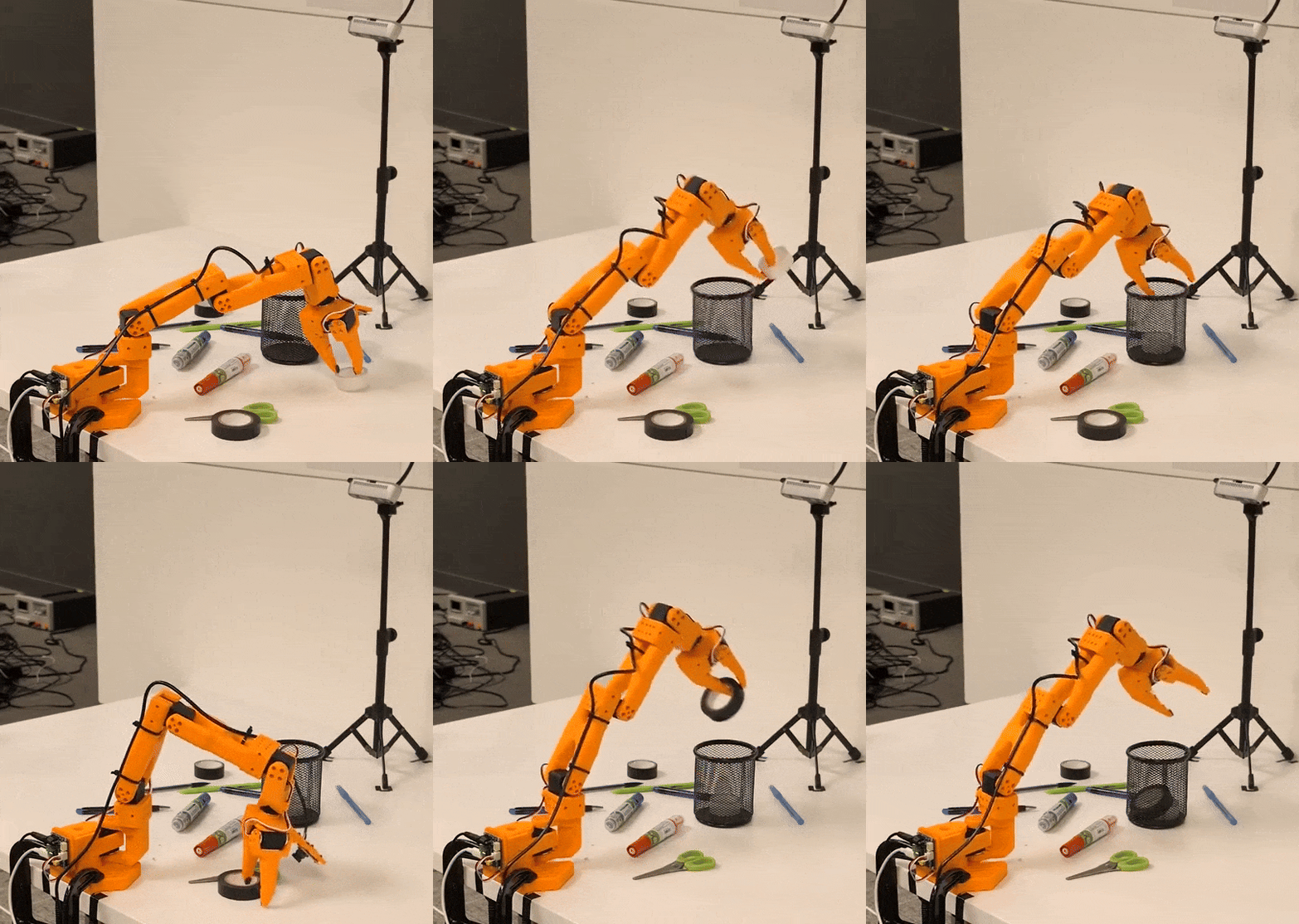
For detailed step-by-step tutorial, please check out: https://github.com/NVIDIA/Isaac-GR00T/tree/main/getting_started
🎉 Happy Hacking! 💻🛠️
Get Started Today
Ready to elevate your robotics projects with NVIDIA's GR00T N1.5? Dive in with these essential resources:
- GR00T N1.5 Model: Download the latest models directly from Hugging Face .
- Fine-Tuning Resources: Find sample datasets and PyTorch scripts for fine-tuning on our GitHub .
- Contribute Datasets: Empower the robotics community by contributing your own datasets to Hugging Face.
- LeRobot Hackathon : Join the global community and participate in the upcoming LeRobot hackathon to apply your skills.
Stay up-to-date with the latest developments by following NVIDIA on Hugging Face.
Models mentioned in this article 1
Datasets mentioned in this article 2
More from this author
Introducing NVIDIA Nemotron 3 Nano Omni: Long-Context Multimodal Intelligence for Documents, Audio and Video Agents
Adaptive Ultrasound Imaging with Physics-Informed NV-Raw2Insights-US AI
Community

🔥🔥🔥

Nice, thanks for this new release ! 🤗

Tysm! Very cool!

Wonderful work, thanks!

Excited to play with this on the SO-101. Great timing for the Lerobot hackathon!

Nice! You guys should add a "Step 0" to actually clone the GR00T repository though, it took me a while to figure out where you were getting the scripts you were calling from 😅
- 2 replies
Thank you for your feedback! We've updated the post to include an installation section. Hope that helps 🤗
great job! i would like to repeat this with my so100 arm, do you have the remote inference code?
I don't understand why robotic models are not used on Windows. I'm sure a learning model that processes desktop data as sensor data would be very successful.
Hi, I followed the instructions and finetuned the model with the given dataset. I deployed the finetuned model on a similar setting as shown in the training data in Isaac Sim, but the robot is not performing the actions properly. Have I missed anything? Please help.
- 6 replies
hello, the same problem occurred to me. I wonder if you have solved this problem?


When I try running "getting_started/examples/eval_lerobot.py", I get the error message:
File "/home/seb/Isaac-GR00T/getting_started/examples/eval_lerobot.py", line 74, in from service import ExternalRobotInferenceClient ModuleNotFoundError: No module named 'service'
How do I resolve this? Which conda env am I supposed to use, gr00t or lerobot?
Separately, I also got these errors at different run attempts of "eval_lerobot.py": ModuleNotFoundError: No module named 'draccus' ModuleNotFoundError: No module named 'lerobot'
I resolved this with pip install, but this should probably be part of the pyproject.toml file to ensure proper versioning.
- 1 reply

Hi, I recently solved this problem in the tag n1.5-release of the project, you should uncomment line 69 from service import ExternalRobotInferenceClient in the file examples/SO-100/eval_lerobot.py .
I was able to post-train gr00t with my custom dataset and run inference on the SO-101. However, the motion is quite jerky. I tried tuning --denoising-steps and --action_horizon (capped at 16 it seems), but it didn't help the motion very much.
I'm using an RTX 4080 GPU. This is the command and hyperparameters I used for training: python scripts/gr00t_finetune.py --dataset-path ./demo_data/pensInHolder-many/ --num-gpus 1 --output-dir ./so101-checkpoints/policy_gr00t_pensInHolder-many_v2 --max-steps 20000 --data-config so100_dualcam --video-backend torchvision_av --no-tune_diffusion_model --batch-size 16 --lora-rank 16 --dataloader-num-workers 16
I cannot use a bigger batch size (CUDA OOM error). I could train for more steps, but not sure how much that will help. I haven't tried yet, but for reducing motion jerk, I thought either limiting motor acceleration or implementing action interpolation could help.
Do you have recommendations for improving performance?
- 1 reply
Could you also remove the --no-tune_diffusion_model , this will tune the entire expert head too. Also you can also use a larger action horizon too by configuring the data_config.py

I put together my own dataset, and after 30 episodes in dataset and about 6,000 fine-tuning steps, the model finally started doing something reasonable 🎉 https://www.youtube.com/shorts/C3_fH8jhzo8
The only funny part is that no matter what text prompt I give it, it still sticks to the same action from the dataset (prompt from training dataset: “pick up the cube and place it in the bin.”)
Any tips on figuring out the right number of max-steps for fine-tuning? And what are your go-to best practices? I heard in NVIDIA’s livestreams that there’s a chance of overtraining, which might make the model ignore text prompts, so I’m curious how you avoid that.
- 1 reply
I have the same question with you, it seems the issue of the generalization of the model.

hey, what happens to the modality.json for if the dataset is for 2 arm, 1 camera heres the info file from the dataset ''' { "codebase_version": "v2.1", "robot_type": "bi_so100_follower", "total_episodes": 50, "total_frames": 21932, "total_tasks": 1, "total_videos": 50, "total_chunks": 1, "chunks_size": 1000, "fps": 30, "splits": { "train": "0:50" }, "data_path": "data/chunk-{episode_chunk:03d}/episode_{episode_index:06d}.parquet", "video_path": "videos/chunk-{episode_chunk:03d}/{video_key}/episode_{episode_index:06d}.mp4", "features": { "action": { "dtype": "float32", "shape": [ 12 ], "names": [ "left_shoulder_pan.pos", "left_shoulder_lift.pos", "left_elbow_flex.pos", "left_wrist_flex.pos", "left_wrist_roll.pos", "left_gripper.pos", "right_shoulder_pan.pos", "right_shoulder_lift.pos", "right_elbow_flex.pos", "right_wrist_flex.pos", "right_wrist_roll.pos", "right_gripper.pos" ] }, "observation.state": { "dtype": "float32", "shape": [ 12 ], "names": [ "left_shoulder_pan.pos", "left_shoulder_lift.pos", "left_elbow_flex.pos", "left_wrist_flex.pos", "left_wrist_roll.pos", "left_gripper.pos", "right_shoulder_pan.pos", "right_shoulder_lift.pos", "right_elbow_flex.pos", "right_wrist_flex.pos", "right_wrist_roll.pos", "right_gripper.pos" ] }, "observation.images.front": { "dtype": "video", "shape": [ 480, 640, 3 ], "names": [ "height", "width", "channels" ], "info": { "video.height": 480, "video.width": 640, "video.codec": "av1", "video.pix_fmt": "yuv420p", "video.is_depth_map": false, "video.fps": 30, "video.channels": 3, "has_audio": false } }, "timestamp": { "dtype": "float32", "shape": [ 1 ], "names": null }, "frame_index": { "dtype": "int64", "shape": [ 1 ], "names": null }, "episode_index": { "dtype": "int64", "shape": [ 1 ], "names": null }, "index": { "dtype": "int64", "shape": [ 1 ], "names": null }, "task_index": { "dtype": "int64", "shape": [ 1 ], "names": null } } }
'''
Thanks for the finetuning guide. I run with 5000 steps and the Average MSE across all trajs: 59.93302306439424. Is it a large error?
is this compatible for lerobot dtaset v3 ?
- 1 reply
It seems you need to stick v2 for now
Has anyone tried to convert v3 dataset to v2 dataset? I realize this only supports v2 dataset for now.
- 2 replies
I tried and it worked. I used this file. https://github.com/huggingface/lerobot/pull/2109

[question]:
whether the repository is built under Isaac lab framework for RL training, and could be visualized in Isaac sim ? OR need to build the environment by myself?
your answering is much appreciated
before deployment, i want to visualize my finetuned model on demo_dataset(PickNPlace), can anyone help with how to use the simulation (view the visualization in isaac-sim??). Please...
Does this work with v3 datasets from Lerobot? If not, has anybody figured out how to get it to work?
- 1 reply
Use Lerobot repository, it supports v3.0 datasets and already integrated gr00t n1.5 model
I would suggest for anybody running this for complicated tasks, at least have denoising steps of 16 and also have like an action horizon of 16. That's the only time I managed to get good results. Until then it is just jittery and it was like not even moving towards the object.
I want to fine-tune using my own single robotic arm dataset, but my robotic arm only has 4 degrees of freedom. How should I modify it?
- 1 reply
Maybe using new-embodiment I guess? That is what I did with bimanual setup
· Sign up or log in to comment
- +120