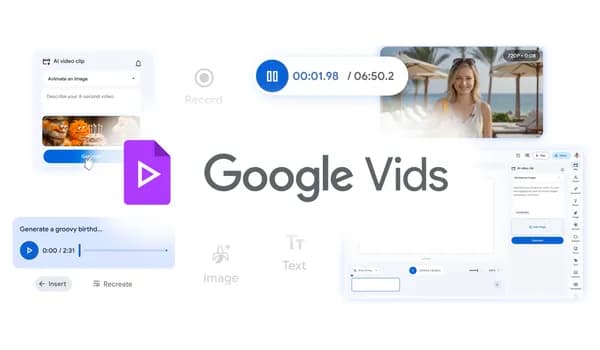
Create, edit and share videos at no cost in Google Vids
Apr 02, 2026
New AI capabilities are coming to Google Vids, powered by Lyria 3 and Veo 3.1, including high-quality video generation at no cost, custom music creation and more.
General summary
Google Vids now lets anyone with a Google account generate high-quality video clips using Veo 3.1, with 10 free generations monthly. Google AI Pro and Ultra subscribers gain access to custom music generation via Lyria 3 and Lyria 3 Pro, plus customizable AI avatars for engaging content. You can also use the new Chrome extension for easy screen recording and directly publish videos to YouTube.
Bullet points
Google Vids helps you create and share videos easily, now with advanced features! Anyone with a Google account can generate high-quality video clips using Veo 3.1. Google AI Pro and Ultra users can create custom music and direct AI avatars. A Chrome extension lets you record your screen, and you can publish directly to YouTube. Google AI Ultra and Workspace AI Ultra accounts can generate up to 1,000 Veo videos monthly.
Explore other styles:
- General summary
- Bullet points

Your browser does not support the audio element.
Google Vids is an intuitive, easy-to-use video editing suite. It helps you turn your ideas into polished stories — whether you're creating a quick video tutorial, recapping a weekend getaway or putting together a birthday montage for a friend. This week, we're adding more advanced capabilities like high-quality video generation for all users, custom music generation and AI avatars to help you create more in Vids. Keep reading to learn about these capabilities and how you can access them.
Generate high-quality videos at no cost
As of this week, anyone with a Google account can generate video clips at no cost using our latest video generation model, Veo 3.1. Now you can easily bring your stories to life in a high-quality video clip from just a simple prompt or photo. It’s perfect for creating an animated neighborhood party flyer, mocking up a quick promo for your side-hustle or sending a fun greeting card. All personal accounts now get 10 video generations every month at no cost — and you can always upgrade if you need more.
Score your videos with custom music
Give your videos energy with a custom soundtrack tailored perfectly to your video’s vibe, powered by our Lyria 3 and Lyria 3 Pro models . Google AI Pro and Ultra subscribers can now generate everything from short 30-second clips to three-minute tracks. Whether you need a catchy, lighthearted tune for a birthday shoutout or an uplifting score for a family vacation reel, you can easily compose an original track that hits all the right notes.
Tell your story with customizable and directable AI avatars
AI avatars give your video a consistent face and voice across every frame, making it easy to create engaging content without the hassle of multiple takes. Powered by Veo 3.1, Google AI Pro and Ultra subscribers now have complete directorial control over how their characters look and act:
- Direct your avatars: Move beyond static talking heads. Place avatars into specific scenes and have them interact directly with uploaded objects, like a product or a prop, set against custom backdrops. It's an easy way to create engaging tutorials and standout social content, or bring your passion project to life.
- Customize their look: Tweak the fine details of your avatar's appearance, swap outfits and change backgrounds to match the exact mood of your video, all while keeping their voice and identity consistent. Whether you're dressing up an avatar to narrate your latest travel vlog, designing a virtual host for a school project or just creating something fun to share with friends, your avatar can always look the part.
Capture and share your creations with ease
We also want to make every step of your video journey effortless, from the moment inspiration strikes to the final upload. To help you work faster and share more easily, we’re introducing new tools that connect Vids right to your browser and your favorite platforms, available to everyone, at no cost:
- Record in your browser with our Chrome extension: With our new Google Vids Screen Recorder Chrome extension , you can quickly record your screen and yourself from anywhere on the web. It brings the Vids recording studio features you already know with you as you browse. No need to navigate to Vids first — just click and start creating.
- Publish finished videos straight to YouTube: Skip the hassle of downloading files and push your creations directly to YouTube right from Vids. The streamlined export process makes publishing completely effortless, and all exports default to Private, giving you the chance to review your videos before sharing them with the world.
And, as of this week, Google AI Ultra and Workspace AI Ultra accounts can now generate up to 1,000 Veo videos per month.
We can't wait to see what you create. Get started at vids.new today.
Done. Just one step more.
Check your inbox to confirm your subscription.
You are already subscribed to our newsletter.
You can also subscribe with a different email address .
Related stories
See what happens when creative legends use AI to make ads for small businesses.

5 gardening tips you can try right in Search

Google is partnering with XPRIZE and Range Media Partners on the $3.5 million Future Vision film competition.

The latest AI news we announced in April 2026
Reduce friction and latency for long-running jobs with Webhooks in Gemini API