
PaliGemma 2 Mix - New Instruction Vision Language Models by Google
- +69




TL;DR
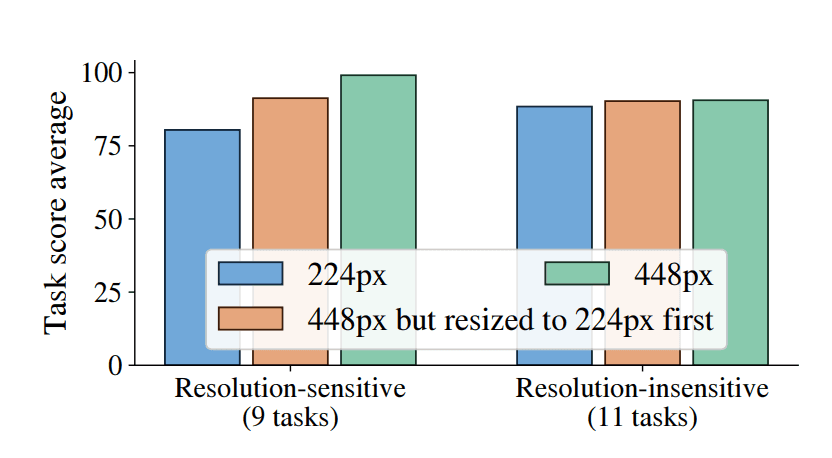
Last December, Google released PaliGemma 2: a new family of pre-trained ( pt ) PaliGemma vision language models (VLMs) based on SigLIP and Gemma 2 . The models come in three different sizes (3B, 10B, 28B) and three different resolutions (224x224, 448x448, 896x896).
Today, Google is releasing PaliGemma 2 mix : fine-tuned on a mix of vision language tasks, including OCR, long and short captioning and more.
PaliGemma 2 pretrained ( pt ) variants are great vision language models to transfer on a given task at hand. All pt checkpoints are meant to be fine-tuned on a downstream task and were released for that purpose.
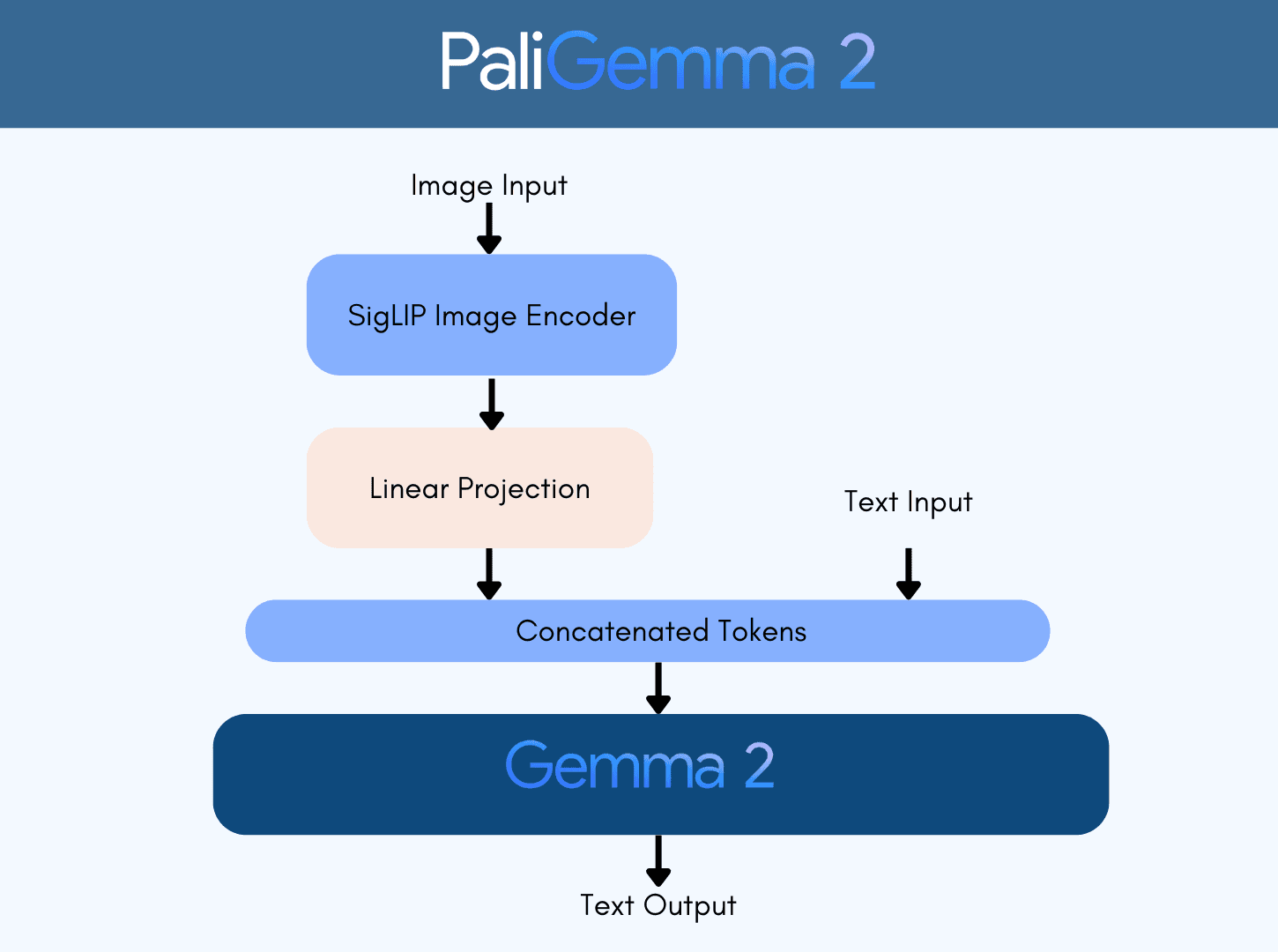
The mix models give a quick idea of the performance one would get when fine-tuning the pre-trained checkpoints on a downstream task. The main purpose of the PaliGemma model family is to provide pretrained models that can learn better on a downstream task, instead of providing a versatile chat model. Mix models give a good signal of how pt models perform when fine-tuned on a mix of academic datasets.
You can read more about PaliGemma 2 in this blog post .
You can find all the mix models and the demo in this collection .
Table of Contents
- PaliGemma 2 Mix Models
- Comparing PaliGemma 2 Mix Variants
- Inference and Fine-tuning using Transformers
- Demo
- Read More
PaliGemma 2 Mix Models
PaliGemma 2 mix models can accomplish a variety of tasks. We can categorize them according to their subtasks as follows.
- General vision-language related tasks : visual question answering, referring to images
- Document understanding : visual question answering on infographics, charts, and diagram understanding
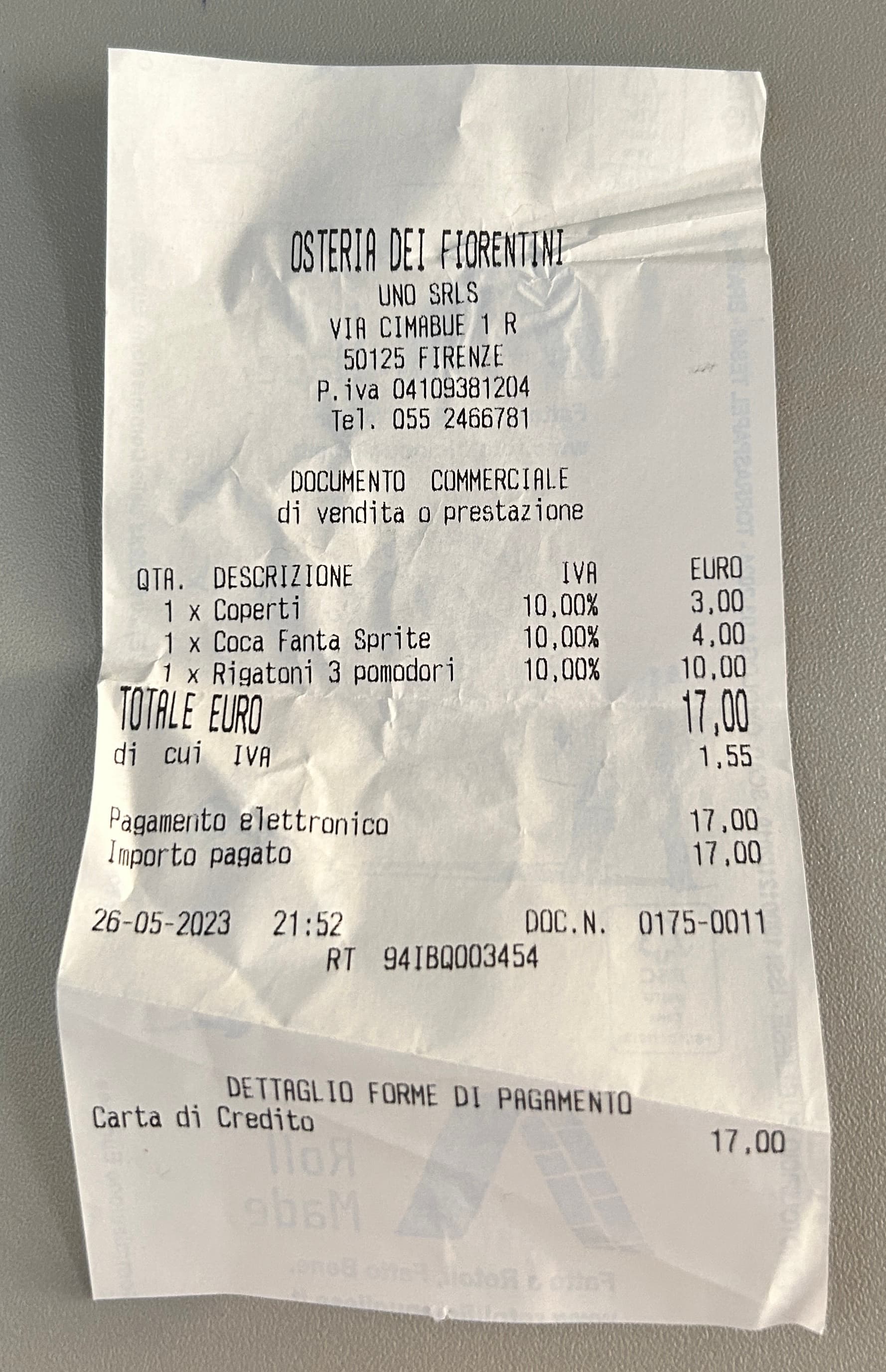
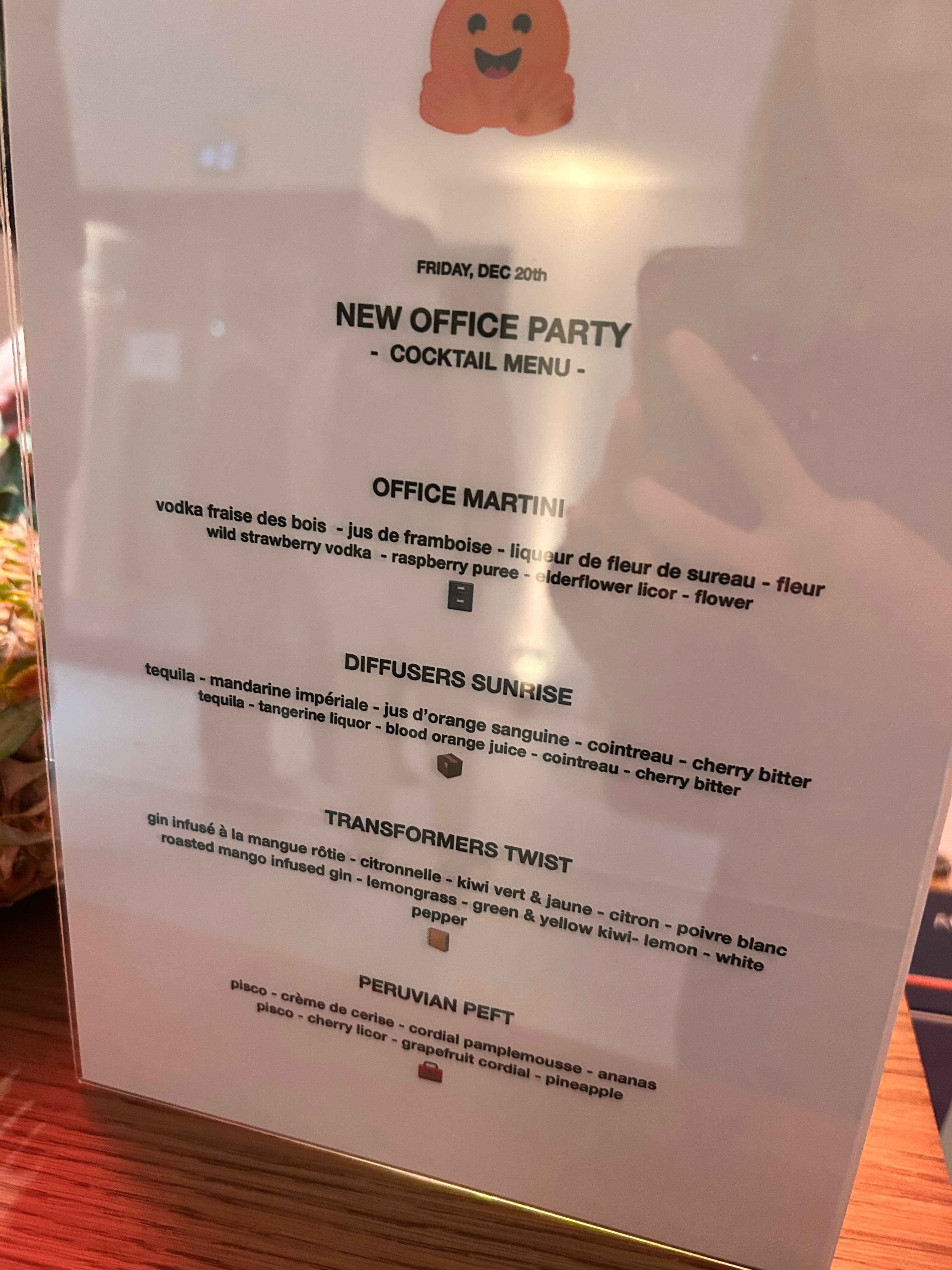
- Text recognition in images : Text detection, captioning images with texts in them, visual question answering on images with text
- Localization-related tasks : object detection, image segmentation
Note that this list of subtasks is non-exhaustive, and you can get more information on the full list of tasks in the PaliGemma 2 paper .
When prompting PaliGemma 2 mix models, we can use open-ended prompts . In the previous iteration of PaliGemma pretrained models, we needed to add a task prefix to the prompt depending on the task we’d like to accomplish in a given language. This still works, but open-ended prompts yield better performance. Prompts with task prefix look like the following:
- "caption {lang}": Nice, COCO-like short captions
- "describe {lang}": Longer, more descriptive captions
- "ocr": Optical character recognition
- "answer {lang} {question}": Question answering about the image contents
- "question {lang} {answer}": Question generation for a given answer
Only two tasks that work solely with task prefixes are object detection and image segmentation. The prompts look like the following.
- "detect {object description}": Locate listed objects in an image and return the bounding boxes for those objects
- "segment {object description}; {object description}": Locate the area occupied by the object in an image to create an image segmentation for that object
If you want to immediately get started, feel free to jump to this section of the blog, or try the demo .
Comparing PaliGemma 2 Mix Variants
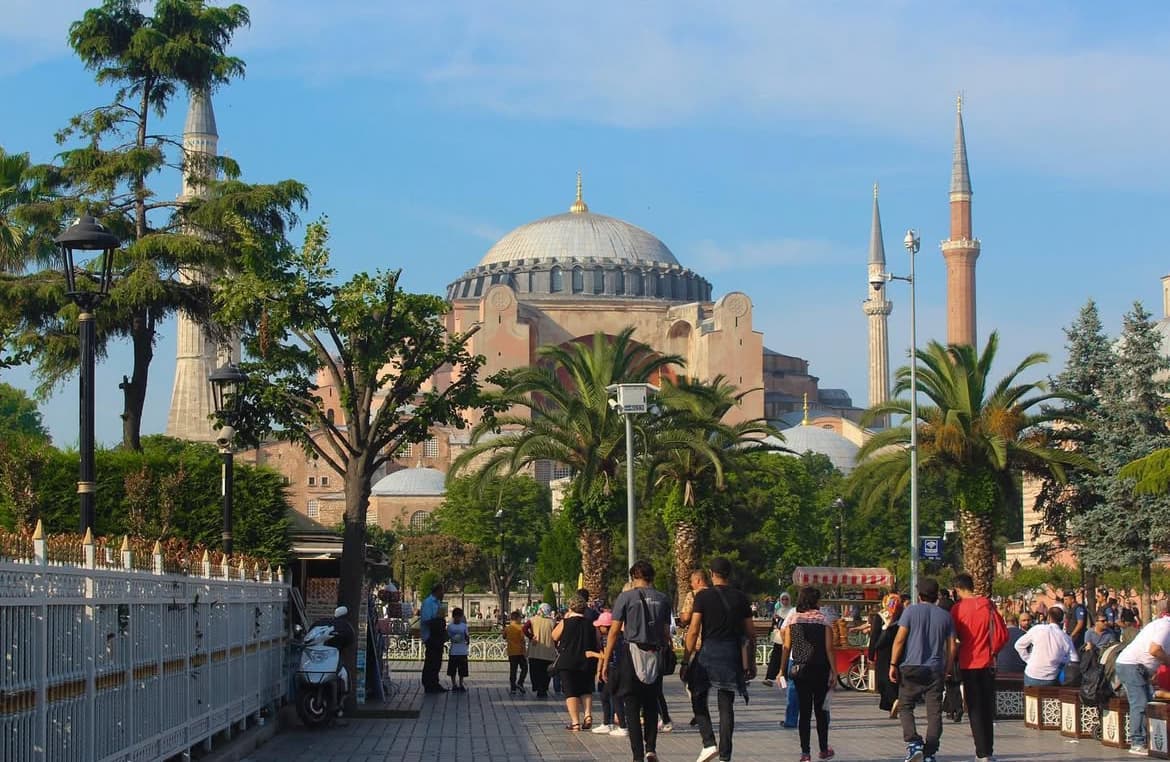
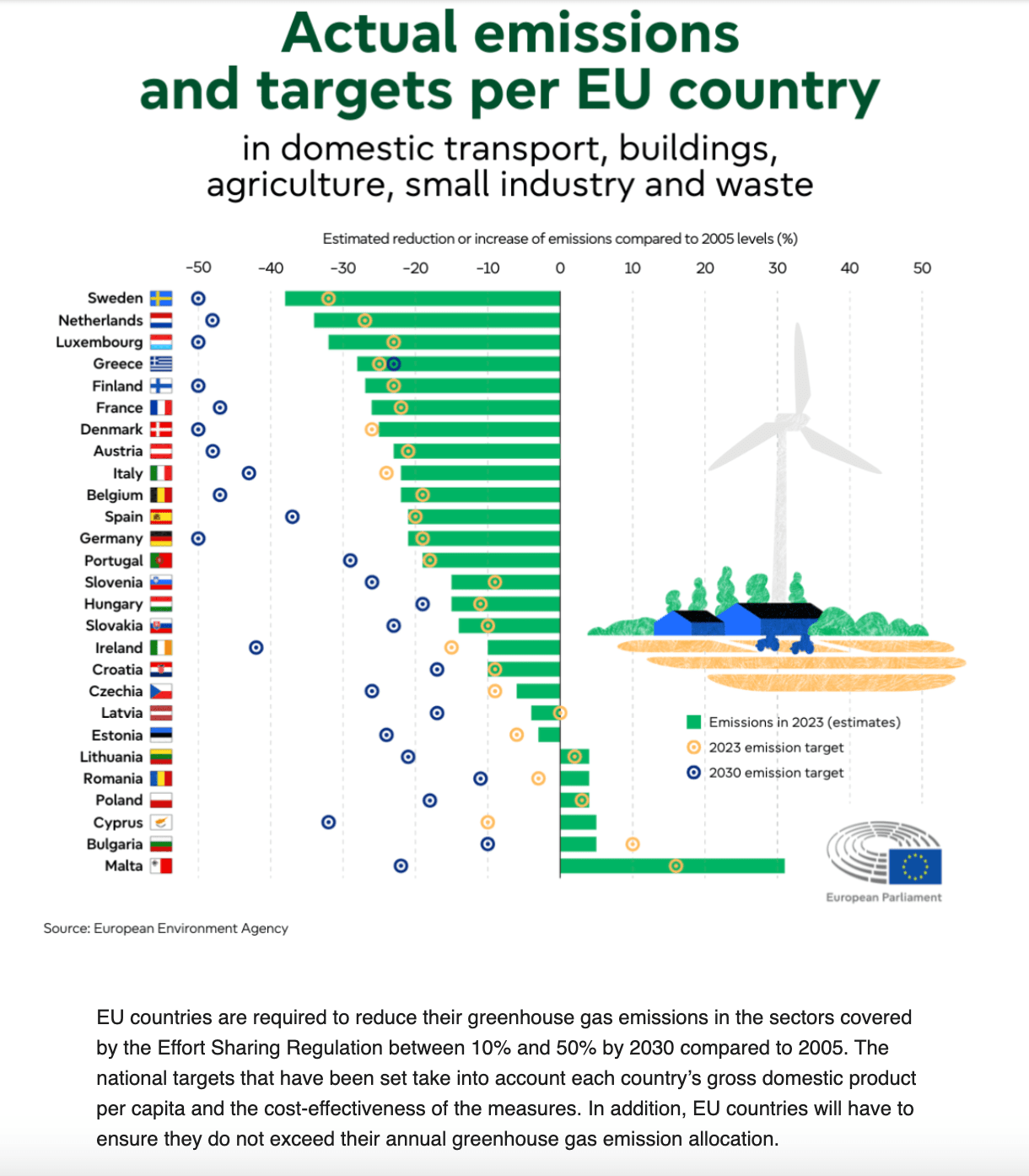
In this section, we will review the aforementioned capabilities, how PaliGemma 2 mix performs on them, and compare different variants with different sizes and resolutions on a few of the tasks. Here, we are testing the model on a few in-the-wild examples.
General Vision-Language Tasks

Document Understanding
Localization Tasks
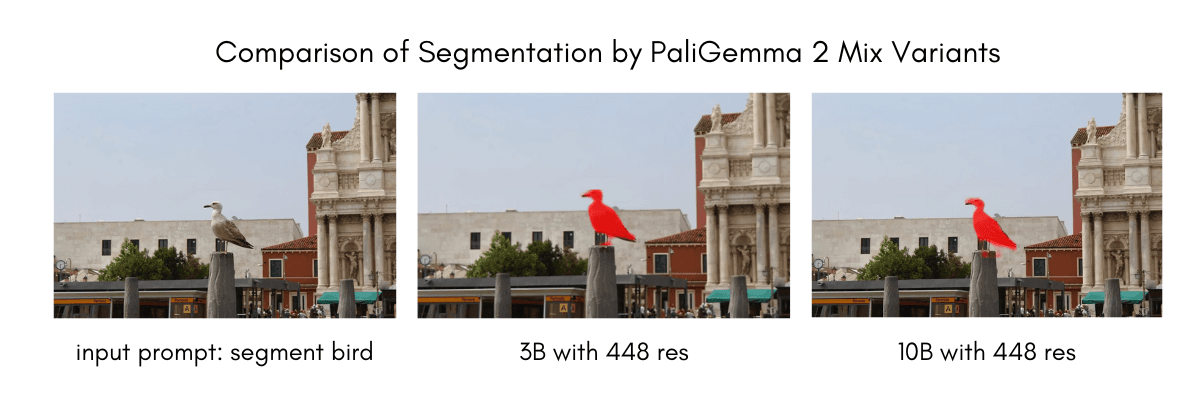
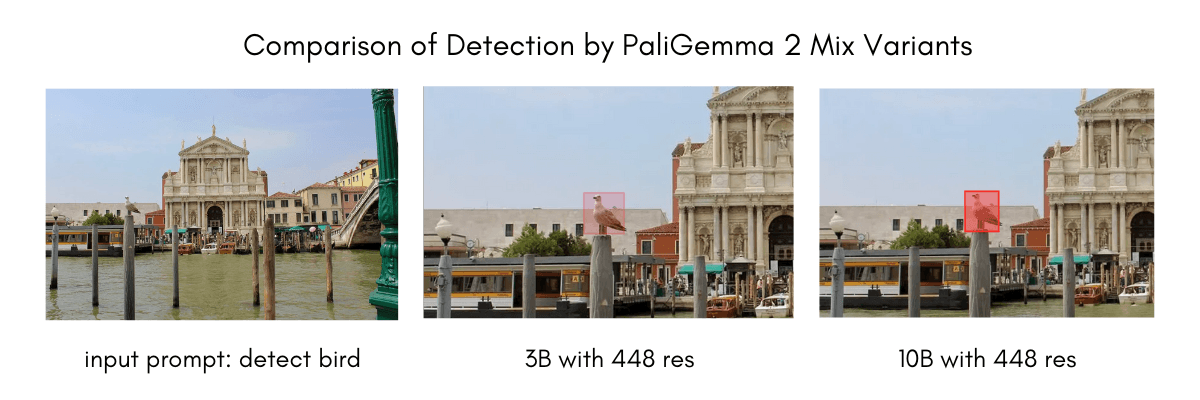
We have evaluated PaliGemma 2 mix variants according to their localization-related capabilities. Given a prompt “detect {object description};{another object description}” with different objects of interest, PaliGemma can detect different objects of interest. The prompt here is not limited to short classes like “bird,” but it can be “bird on a stick”.
Below, you can find detection and segmentation outputs of different variants with a fixed resolution of 448x448. We zoom in on the object of interest for visualization purposes.
Text Recognition in Images
Inference and Fine-tuning using Transformers
You can use PaliGemma 2 mix models using transformers.
from transformers import (
    PaliGemmaProcessor,
    PaliGemmaForConditionalGeneration,
)
from transformers.image_utils import load_image
import torch

model_id = "google/paligemma2-10b-mix-224"

url = "https://huggingface.co/datasets/huggingface/documentation-images/resolve/main/transformers/tasks/car.jpg"
image = load_image(url)

# Load the model and the processor
model = PaliGemmaForConditionalGeneration.from_pretrained(model_id, torch_dtype=torch.bfloat16, device_map="auto").eval()
processor = PaliGemmaProcessor.from_pretrained(model_id)

# Prepare the inputs
prompt = "describe en"
model_inputs = processor(text=prompt, images=image, return_tensors="pt").to(torch.bfloat16).to(model.device)
input_len = model_inputs["input_ids"].shape[-1]

# Infer and postprocess the inference outputs
with torch.inference_mode():
    generation = model.generate(**model_inputs, max_new_tokens=100, do_sample=False)
    generation = generation[0][input_len:]
    decoded = processor.decode(generation, skip_special_tokens=True)
    print(decoded)
We have an in-depth tutorial on fine tuning PaliGemma 2 . The same notebook can be used to fine tune the mix checkpoints as well.
Demo
We are releasing a demo for a 10B model with 448x448 resolution. You can play with it below or head to app in this link .
Read More
Read and learn more about PaliGemma models below.
- Blog: PaliGemma – Google's Cutting-Edge Open Vision Language Model
- Blog: Welcome PaliGemma 2 – New vision language models by Google
- PaliGemma 2 Technical Report
- PaliGemma Fine-tuning Tutorial
- Release Collection for PaliGemma 2 Mix Models
- Release Collection for PaliGemma 2
- Try the demo
Acknowledgments
We would like to thank Sayak Paul and Vaibhav Srivastav for the review of this blog post. We thank the Google team for releasing this amazing, and open, model family.
Big thanks to Pablo Montalvo for integrating the model to transformers, and to Lysandre , Raushan , Arthur , Yih-Dar and the rest of the team for reviewing, testing, and merging in no time.
Papers mentioned in this article 1
Collections mentioned in this article 4
More Articles from our Blog
Training and Finetuning Multimodal Embedding & Reranker Models with Sentence Transformers
Multimodal Embedding & Reranker Models with Sentence Transformers
Community

Hey there, is from transformers import AutoProcessor, AutoModelForVision2Seq can be useed for all VLMs or do we have to go with from transformers import PaliGemmaProcessor, PaliGemmaForConditionalGeneration for PaliGemma and from transformers import Qwen2_5_VLForConditionalGeneration, AutoTokenizer, AutoProcessor for QwenVL ? My goal is to have a unified script for all VLMs on the Hub given a model_name as arg
- 2 replies
Looking at transformers mapping I am pretty sure the Auto class would be able to pull PaliGemma and Qwen2_5 at the same time.
· Sign up or log in to comment
- +63